> For the complete documentation index, see [llms.txt](https://upgrade-platform.gitbook.io/upgrade-documentation/llms.txt). Markdown versions of documentation pages are available by appending `.md` to page URLs; this page is available as [Markdown](https://upgrade-platform.gitbook.io/upgrade-documentation/6.6/developer-guide/reference/context-metadata.md).
# Context Metadata
CONTEXT\_METADATA env var explained
**What is this Context Metadata thing?**\
\
Like [**METRICS**](/upgrade-documentation/6.6/developer-guide/reference/metrics.md), the **CONTEXT\_METADATA** env var is nothing more than a JSON dictionary of client-defined identifiers to be used to keep the client app state in sync with UpGrade. It will represent a contract of agreed-upon technical terms between the Client app, UpGrade, and users creating/tracking experiments.\
\
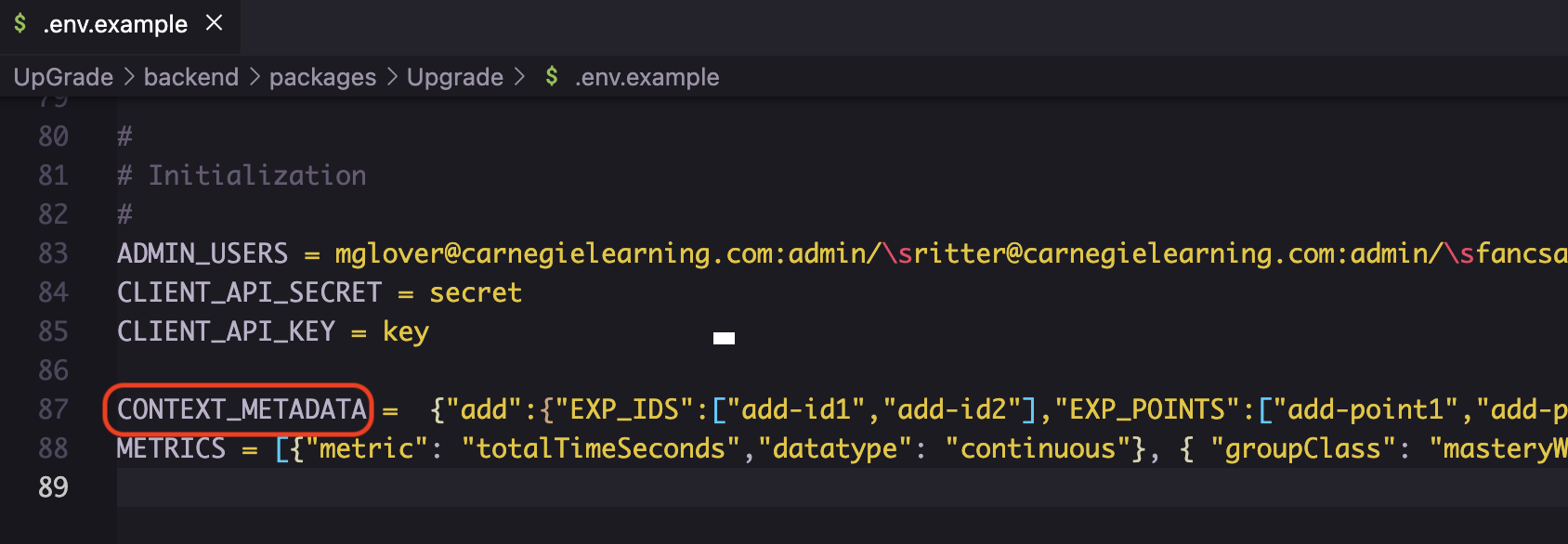
You must have at least 1 **CONTEXT\_METADATA** JSON object described in your `.env` file in order for backend to compile. There's an example in `.env.example` of one you can start with, but you will want to edit it once you are up and running. [See also Environment Variables.](/upgrade-documentation/6.6/developer-guide/reference/environment-variables.md)\
\
Most of these terms are not required, but the object itself is. The benefit will be to help keep UpGrade in sync with identifiers that *should* be valid for an experiment. The other strong benefit to keeping this metadata up-to-date is for UI autocomplete (see below for examples).
{% hint style="info" %}
In future UpGrade releases, this context-metadata object will accommodate different app-versions per Client context, as well an API to manage this data instead of an Environment Variable. For now, a context is limited to representing client app state broadly, and must be defined in your backend configuration.
{% endhint %}
{% hint style="warning" %}
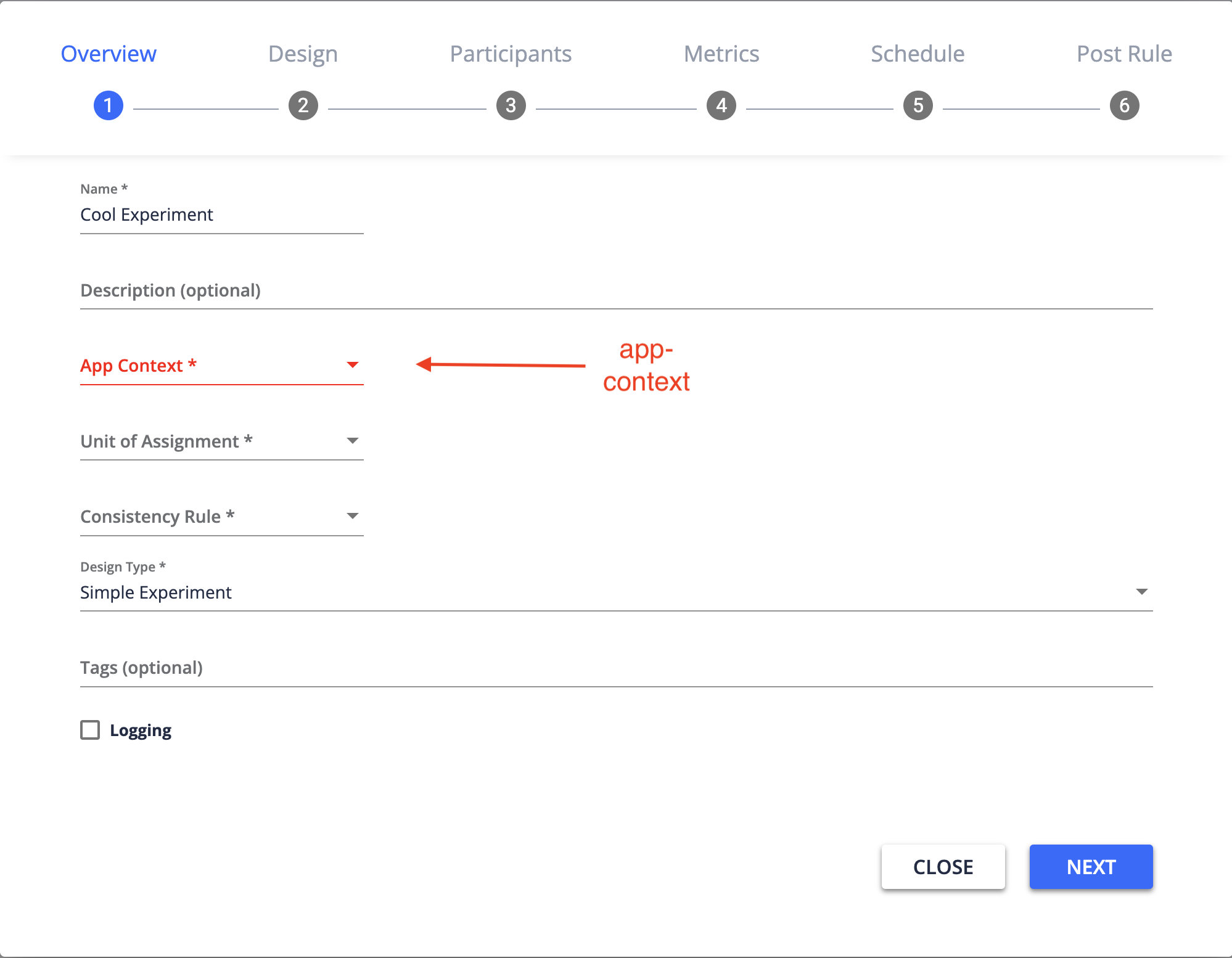
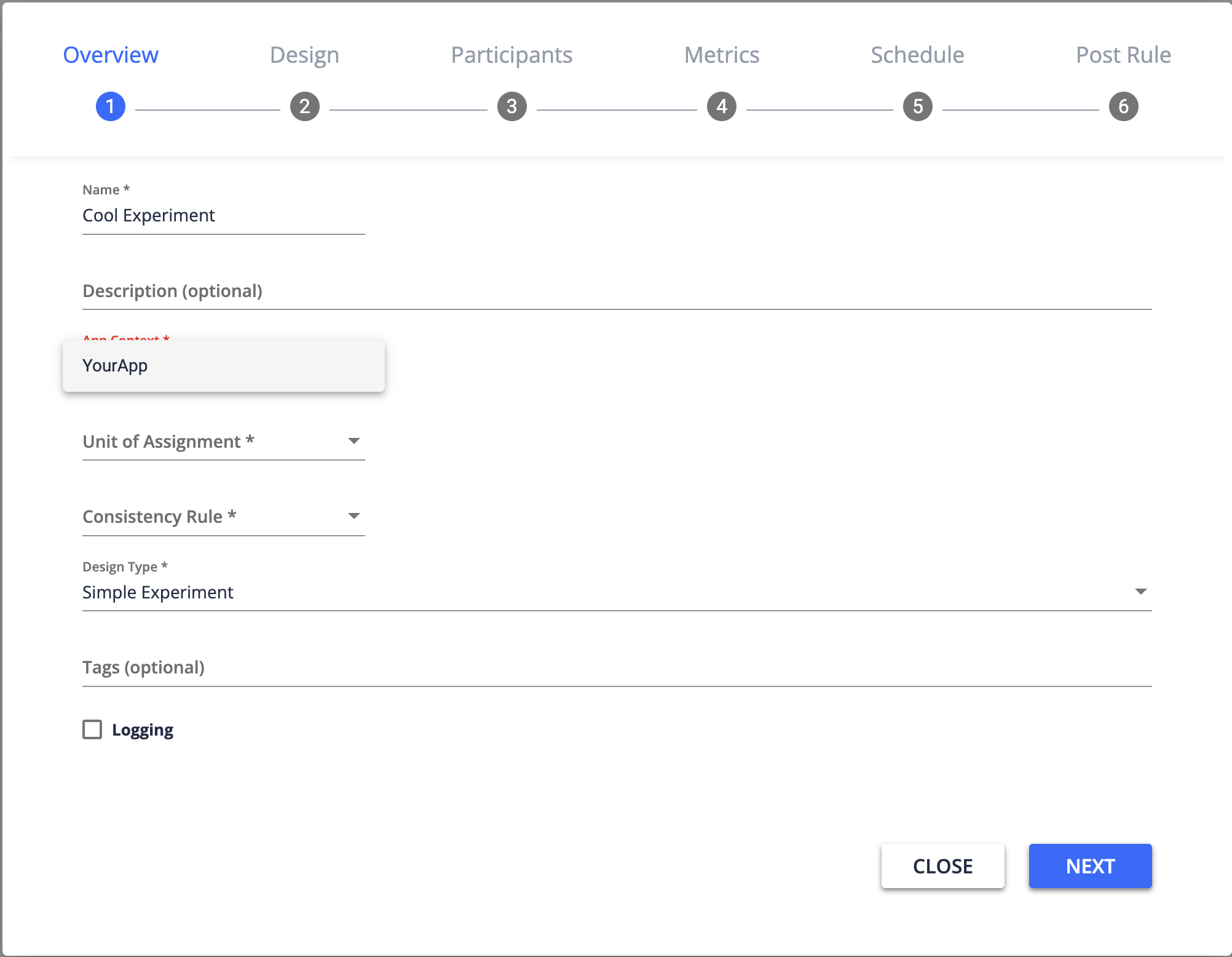
Even if keeping metadata current is not necessary for you application, you will need to at least have a boilerplate ContextMetadata object defined with your application's unique identifier as the root-level key. This key is important as it will be your application's "**app-context**", which will be used to partition your experiment's data and route its requests.
{% endhint %}
\
**What exactly can I define?**\
\
The context metadata object is defined in the [Environment Variables](/upgrade-documentation/6.6/developer-guide/reference/environment-variables.md) and will describe:
1. An identifier for your app "**app\_context**" (required).
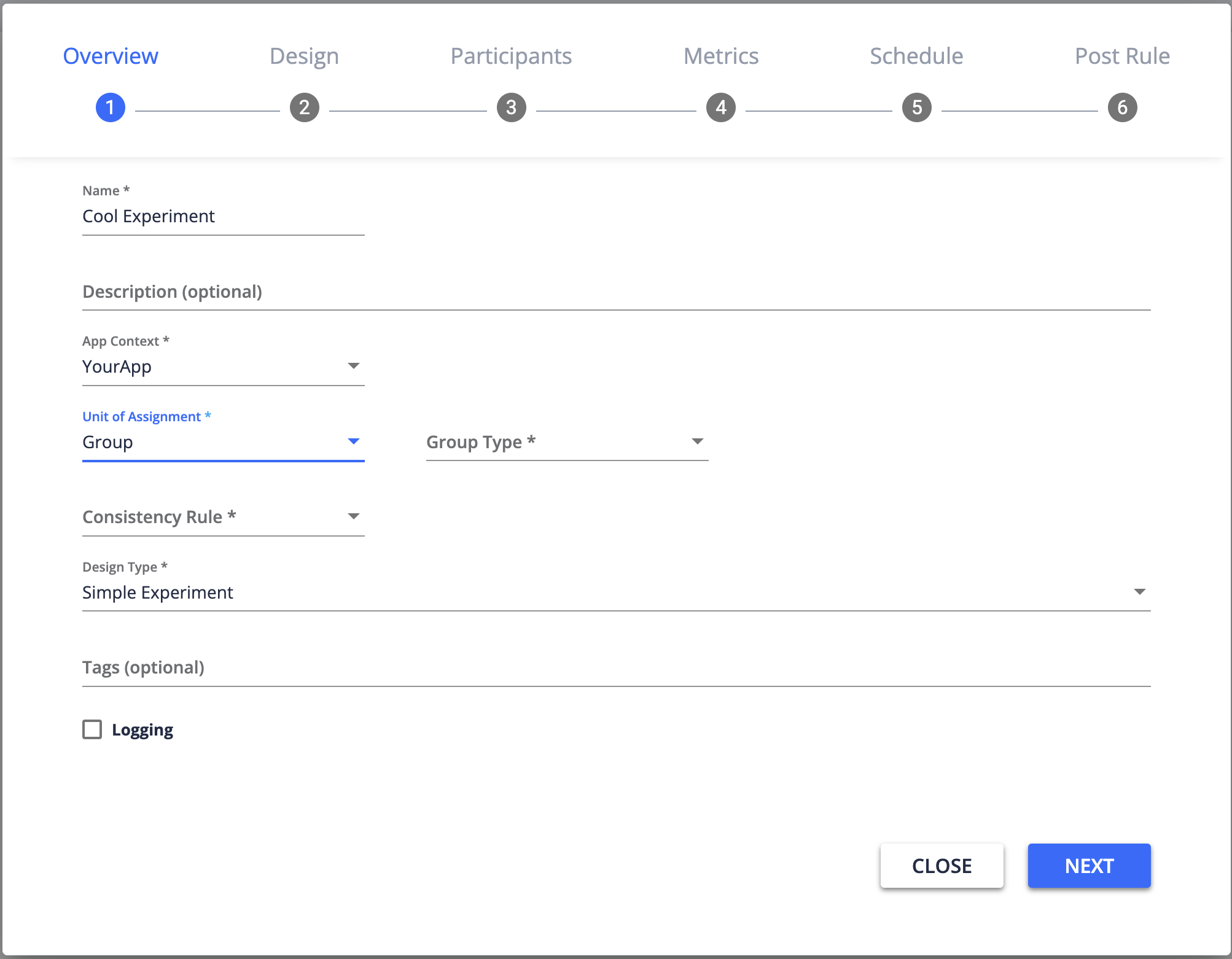
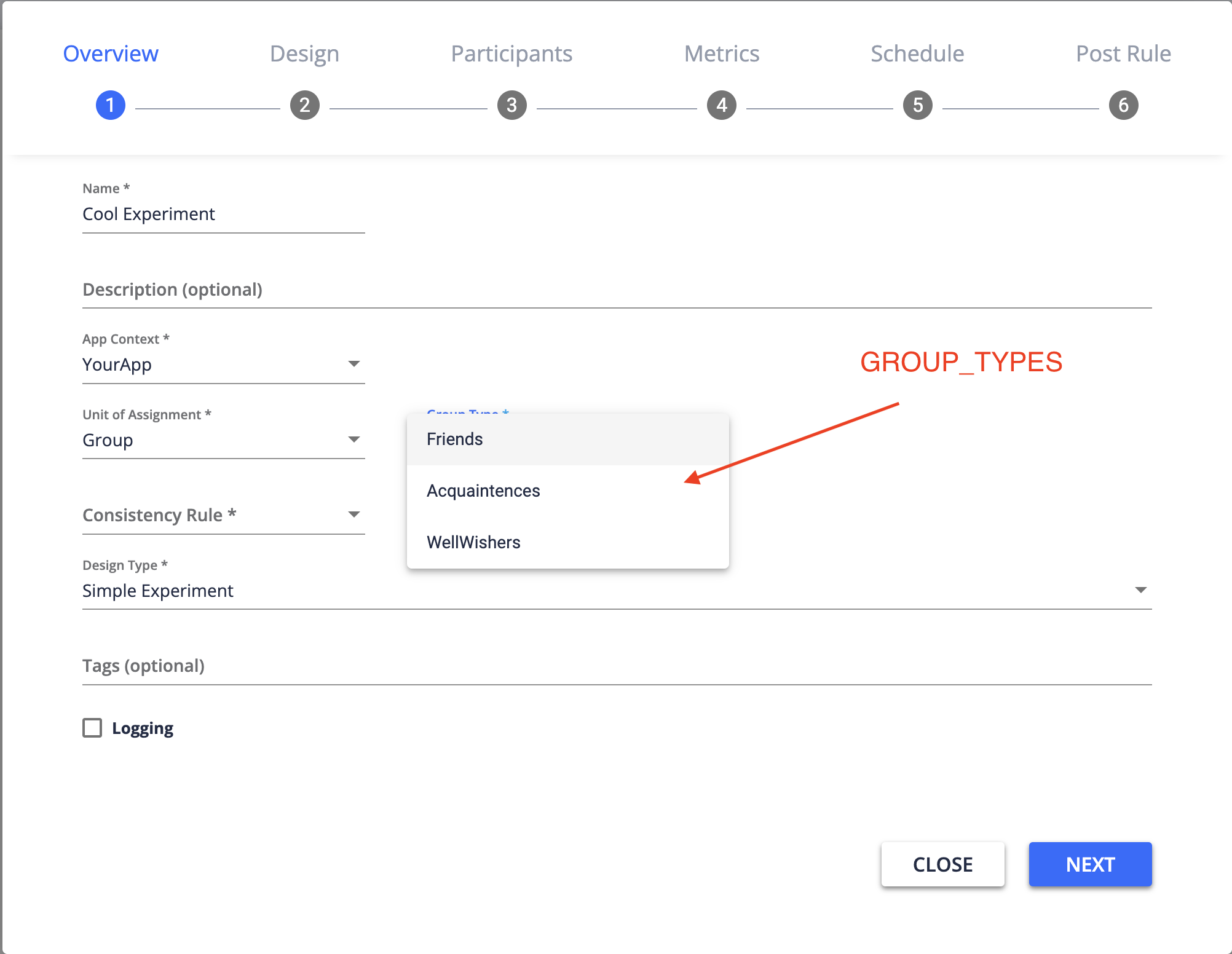
2. A set of valid strings to identify names of "**GROUP\_TYPES**" of users within your context (if using groups).
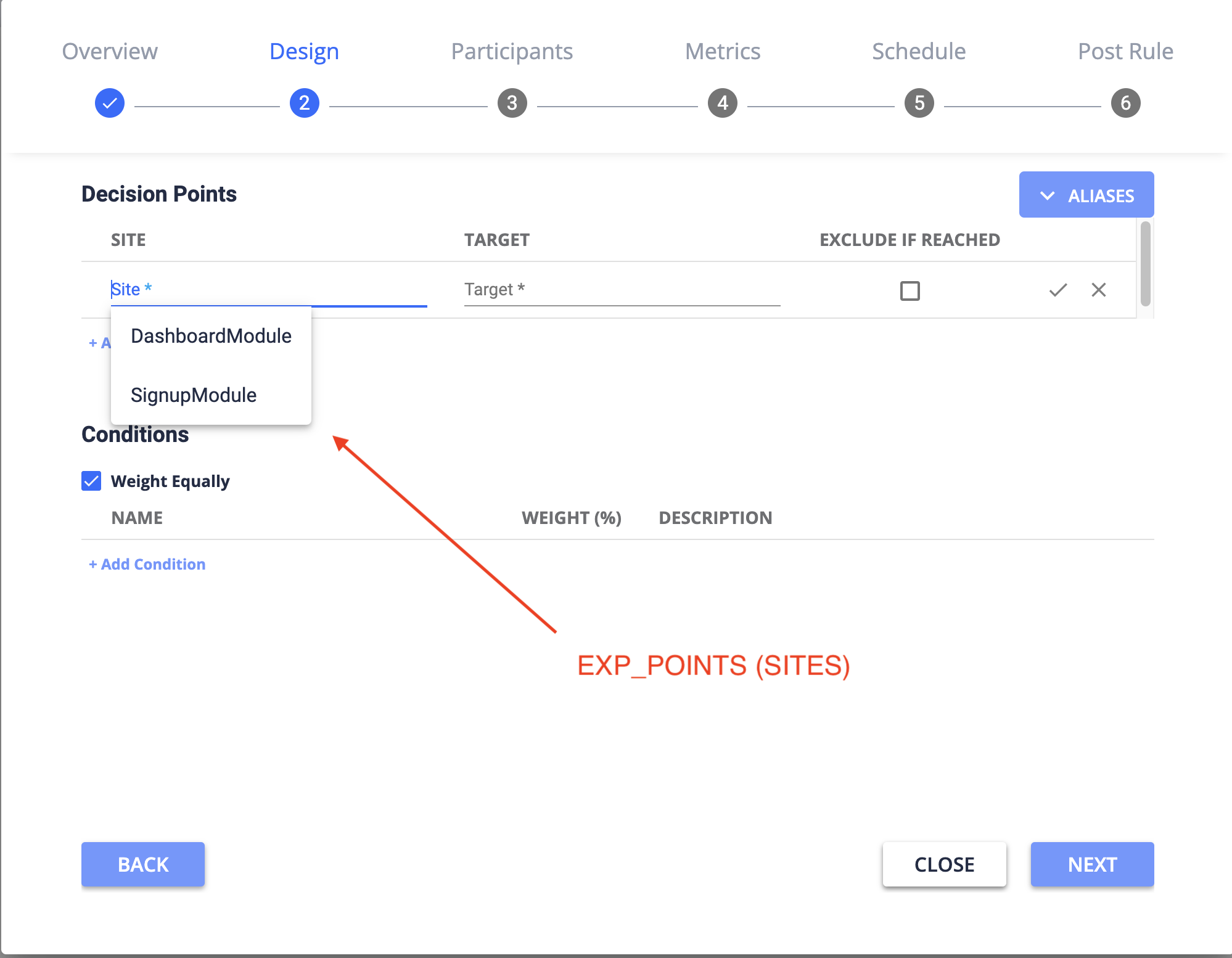
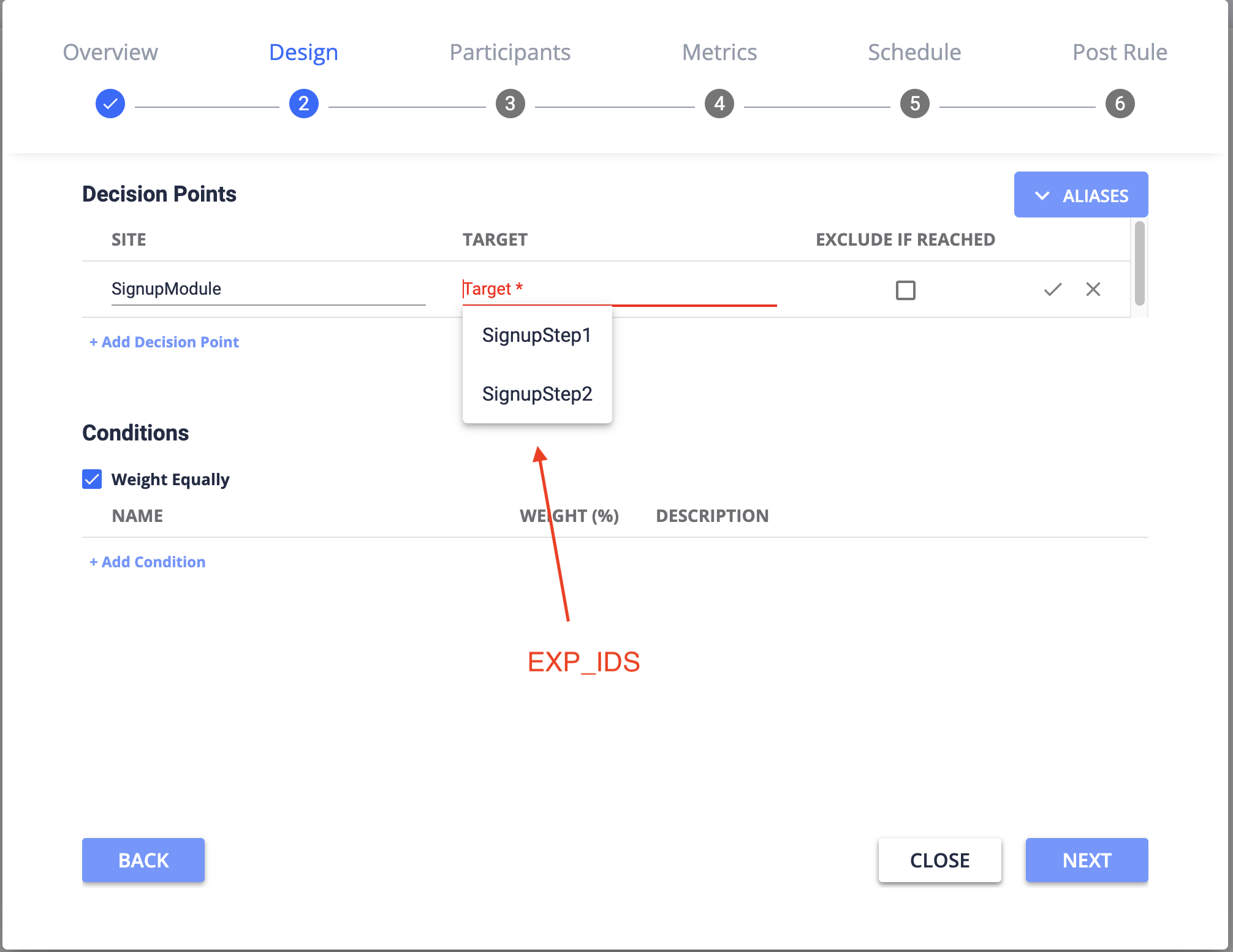
3. A set of valid strings to identify places in codebase where your experiment conditions will be delivered (**"Decision Points"**).\
\
**Decision Points** are a composite id of two identifiers, **Site** + **Target**:\
\- "**Sites**" (also known as "**EXP\_POINTS**"), e.g. a module or other broad codebase identifier\
\- "**Targets**" (also known as "**EXP\_IDS**"), e.g. a specific point in code
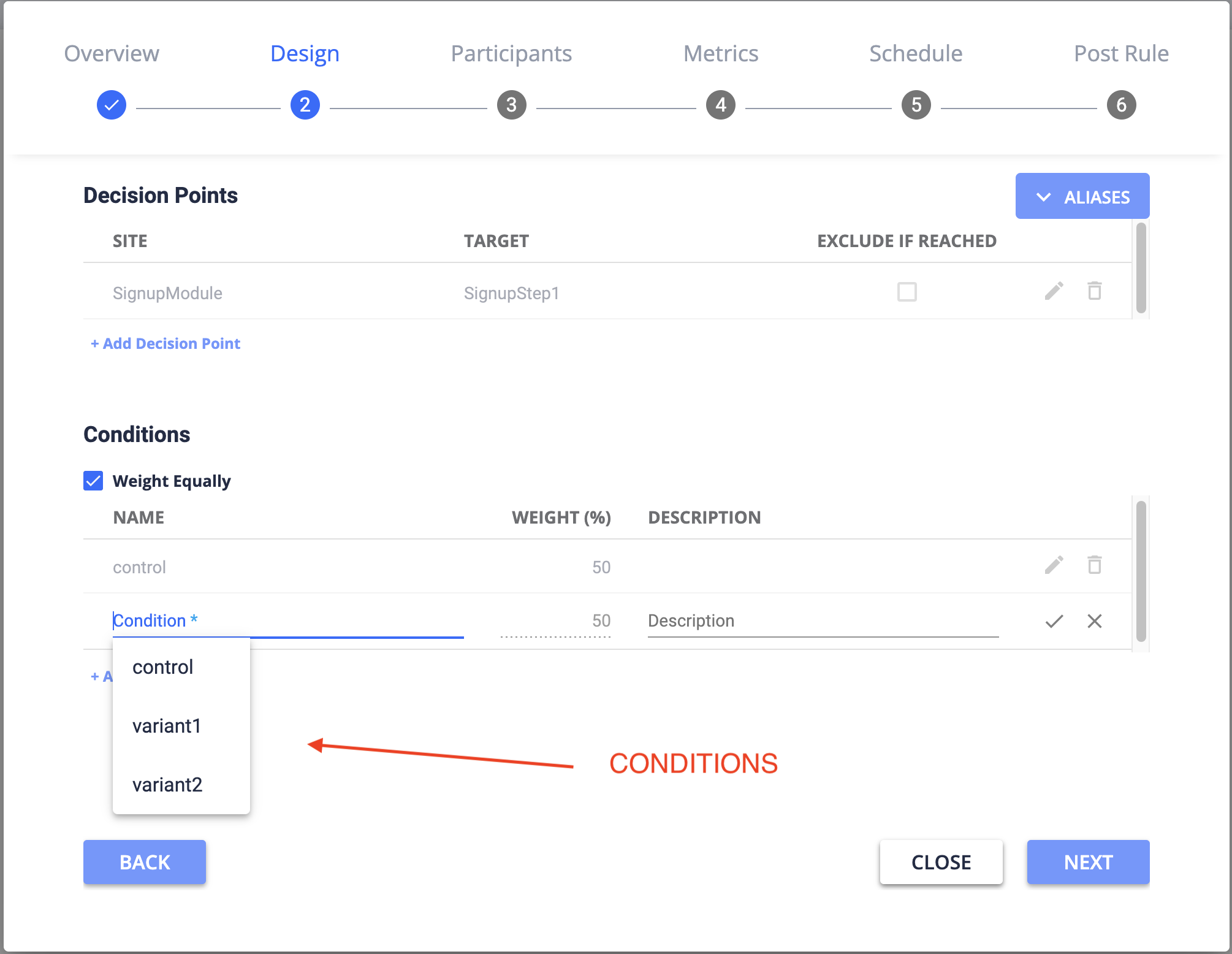
4. A set of valid strings to identify the "**CONDITIONS**" expected by your codebase.
\
This must be valid JSON, but it may be easier to describe as a Typescript Type interface:
```typescript
interface ContextMetadata {
/**
* ContextMetadata is a JSON dictionary of Contexts.
* The key(s) is user-defined, such as the name of your application.
* This key will be known as "app-context" within UpGrade.
* It is required for tying your API/Client Library requests to your application
*/
{ key: string }: ContextMetadataDetails
}
interface ContextMetadataDetails {
/**
* Client-defined identifiers to be used to create a contract of agreed-upon
* terms between the Client app, UpGrade, and users creating/tracking experiments.
*/
"EXP_POINTS": string[];
"EXP_IDS": string[];
"GROUP_TYPES": string[];
"CONDITIONS": string[];
}
```
\
So an example in your `.env` files might contain some like this:
```json
CONTEXT_METADATA =
{
"YourApp": {
"EXP_POINTS":["DashboardModule", "SignupModule"],
"EXP_IDS":["SignupStep1","SignupStep2"],
"GROUP_TYPES":["Friends","Acquaintences","WellWishers"],
"CONDITIONS":["control","variant1","variant2"]
}
}
```
**Where will I see these values get used?**\
\
In UpGrade UI, you will see all of these values pop up as you create a new experiment:\