Thompson Sampling (Configurable)
Mooclet Adaptive Algorithm
Summary
<TBD an explanation from research POV on what this means>
ts_configurable Policy Parameters
ts_configurable Policy ParametersThis section is a little more technical but it is meant to serve both the researcher and a developer implementing or troubleshooting an experiment. There's no coding here, just data structures and the terminology explained.
Each Mooclet algorithm comes with a configution JSON structure called policy_parameters. In the UI, we only allow configuring some of these values, but technically there are others if you spy the experiment's data structure. The values will allow you to change the behavior of the algorithm.
The ts_configurable policy parameters look like this before the experiment begins:
{ "prior": { "failure": 1, "success": 1 }, "batch_size": 4, "max_rating": 1, "min_rating": 0, "uniform_threshold": 8, "tspostdiff_thresh": 0.1, "outcome_variable_name": "dummy_reward_name" }
When the experiment has begun collecting rewards, the policy_parameters object will have an a new property attached called current_posteriors
{ "prior": { "failure": 1, "success": 1 }, "batch_size": 4, "max_rating": 1, "min_rating": 0, "uniform_threshold": 8, "tspostdiff_thresh": 0.1, "outcome_variable_name": "dummy_reward_name", "current_posteriors": { 58: { "successes": 50, "failures": 40 }, 59: { "successes": 29,"failures": 30 }} }
Parameter Definitions:
There are 5 editable parameters in an UpGrade Thompson-Sampling (Configurable) experiment in the UI.
FYI: These values CAN be changed while the experiment running.
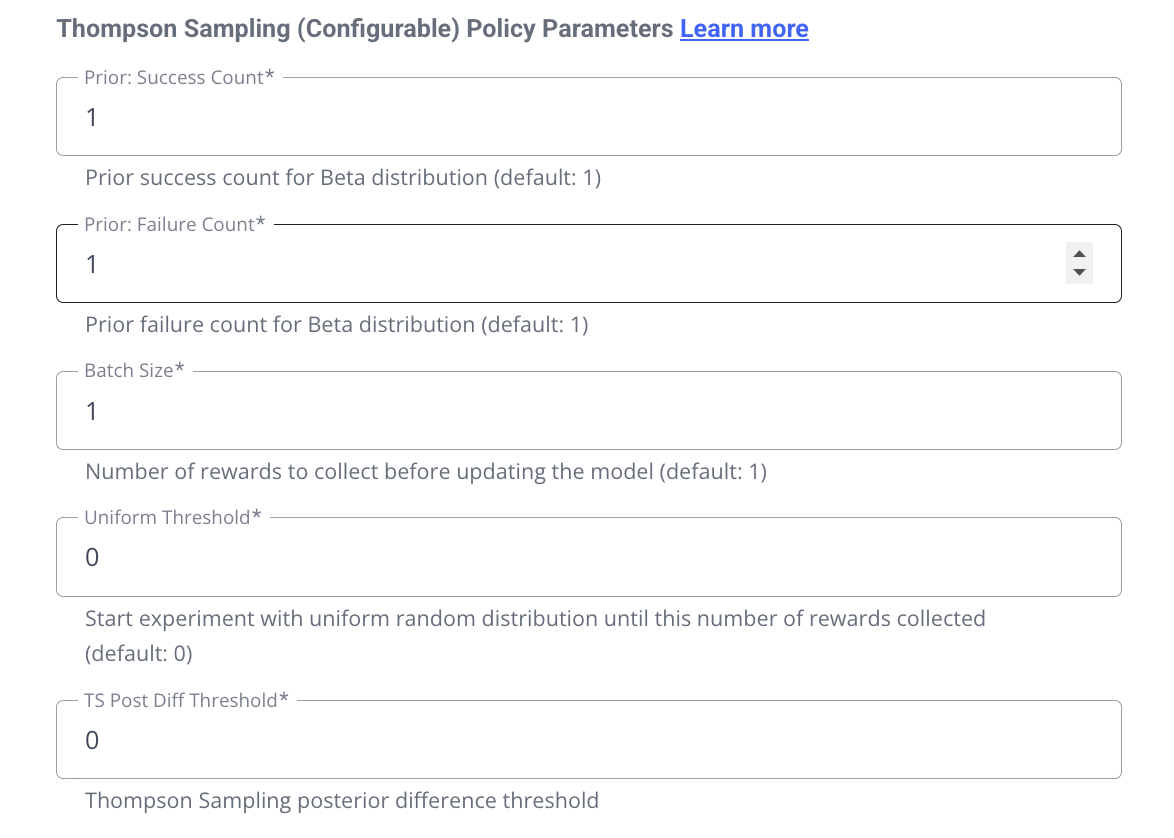
prior.success integer (default: 1, min: 1)
prior.failure integer (default: 1, min: 1)
Priors represent ....
batch_size: integer (default: 1, min: 1)
"Batch Size" means how many rewards to collect before updating the model. For example, a batch size of 1 will result in the model being updates after every reward is collected. A batch size of 1000 will wait until 1000 rewards have been collected before adjusting the weights, and then again after another 1000, and so on...
uniform_threshold: integer (default: 0, min: 0)
"Uniform Threshold" represents a "burn-in" number of rewards to collect with equally weighted arms before the first model update, after which the model will updated after every batch-size number of rewards received.
tspostdiff_thresh : float (default 0.0, min 0.0, max 1.0)
"TSPostDiff_Thresh" controls when the system considers one option (arm, intervention, content, etc.) to be meaningfully better than another based on their posterior reward distributions.
Other parameters (not editable in the UI):
max_rating, min_rating: integer (default: max = 1, min = 0)
The max and min refer essentially to the score that a reward can represent. Currently only a binary 1 and 0 are supported, so we don't expose this parameter in the UI.
outcome_variable_name :
string (default: <first 8 of experiment name> + <iso date timestamp> + "REWARD_VARIABLE")
This is an internal string id used to map rewards to the mooclet policy... this can be ignored and is preset by UpGrade, but it is given the experiment name so that it can be identified in the Mooclet database if needed for investigating your expriment's data.
current_posteriors
object with keys representing string ids of conditions, with counts of their reward totals: `"current_posteriors": { 58: { "successes": 50, "failures": 40 }, 59: { "successes": 29,"failures": 30 }}
"Current Posteriors" are a data representation of total rewards collected per conditions. This is the only variable of the policy parameters that will be updated during the lifespan of the experiment. It will not exist until rewards start being received. This is the datasource for the "Reward Feedback" table in the experiment's data tab.
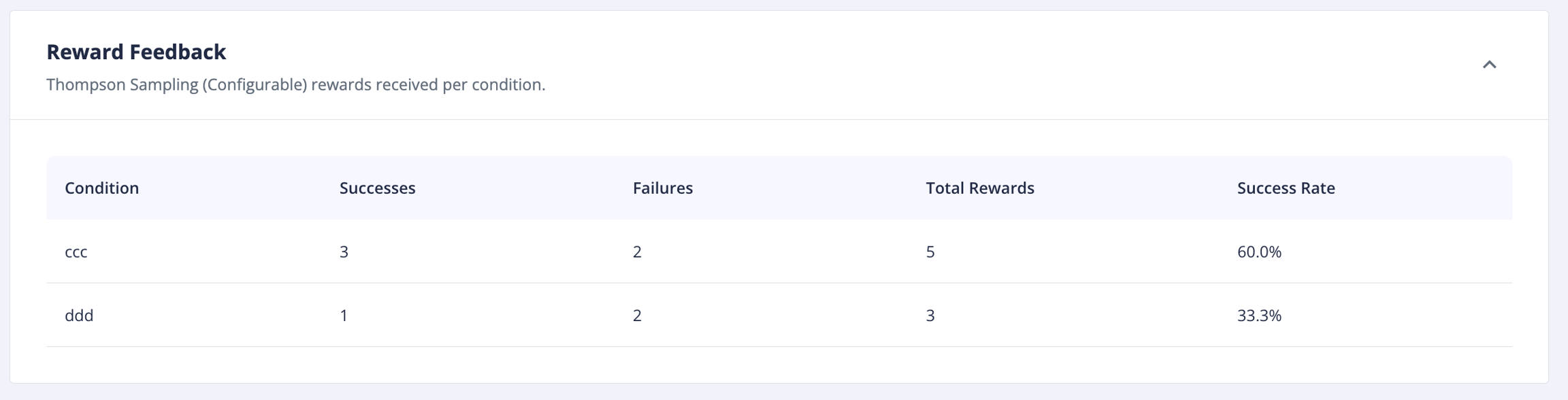
Note: One idiosyncrasy of way the Mooclet service operates is that the current_posteriors object is not updated immediately upon receipt of rewards. These values are computed the moment before the next user calls the service to fetch their assignment. So the reward totals may appear to be a little behind what you may expect to see (particularly while testing). This is a little awkward for displaying the data, but there is not a technical issue, just be aware! You can always check the real reward count in the mooclet database if you really need to know what count will be for the next user's assignment.
Last updated